
InvoiceLane
Turn a ProABD order into a finished invoice in one click, without retyping anything.
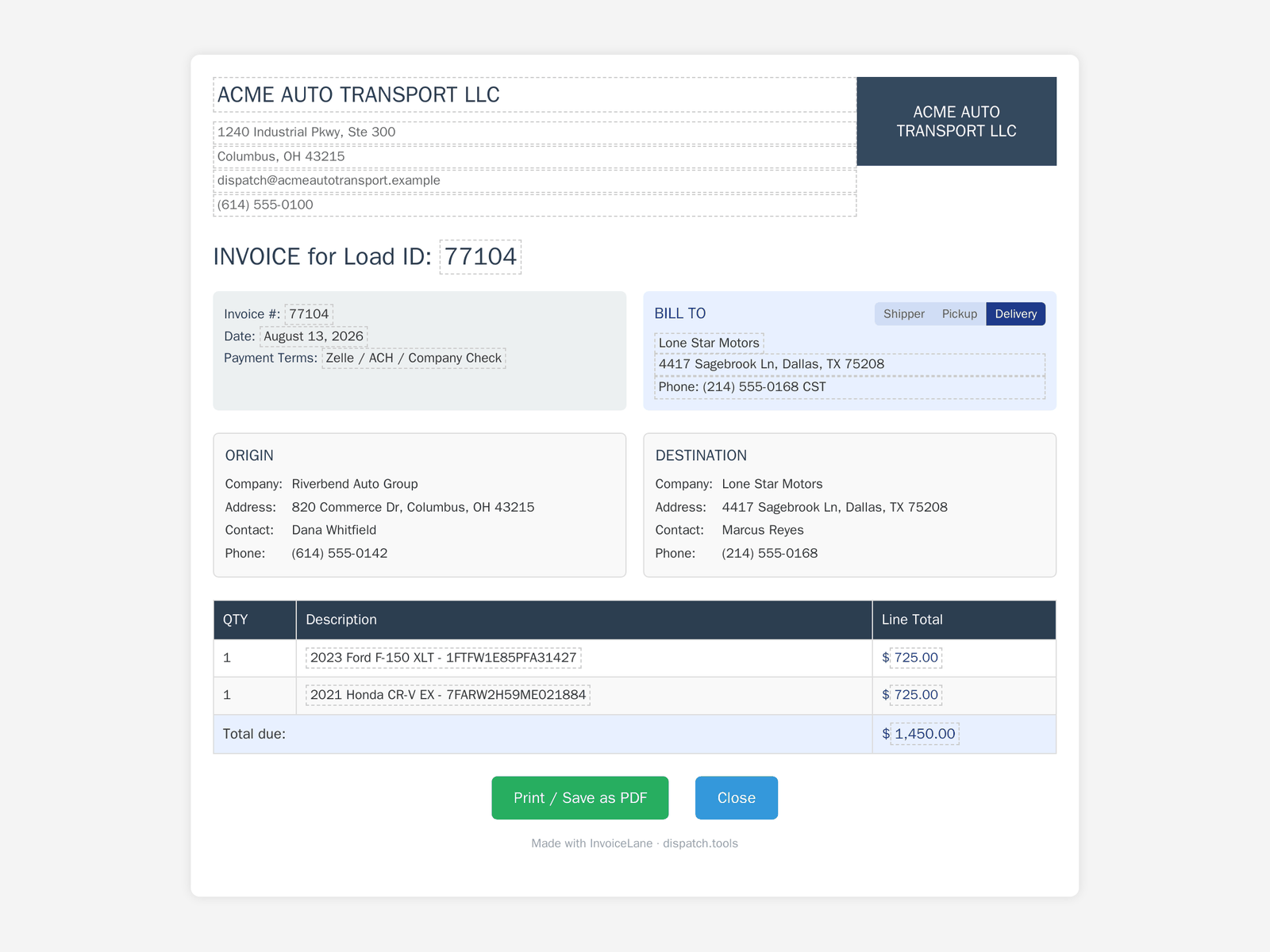
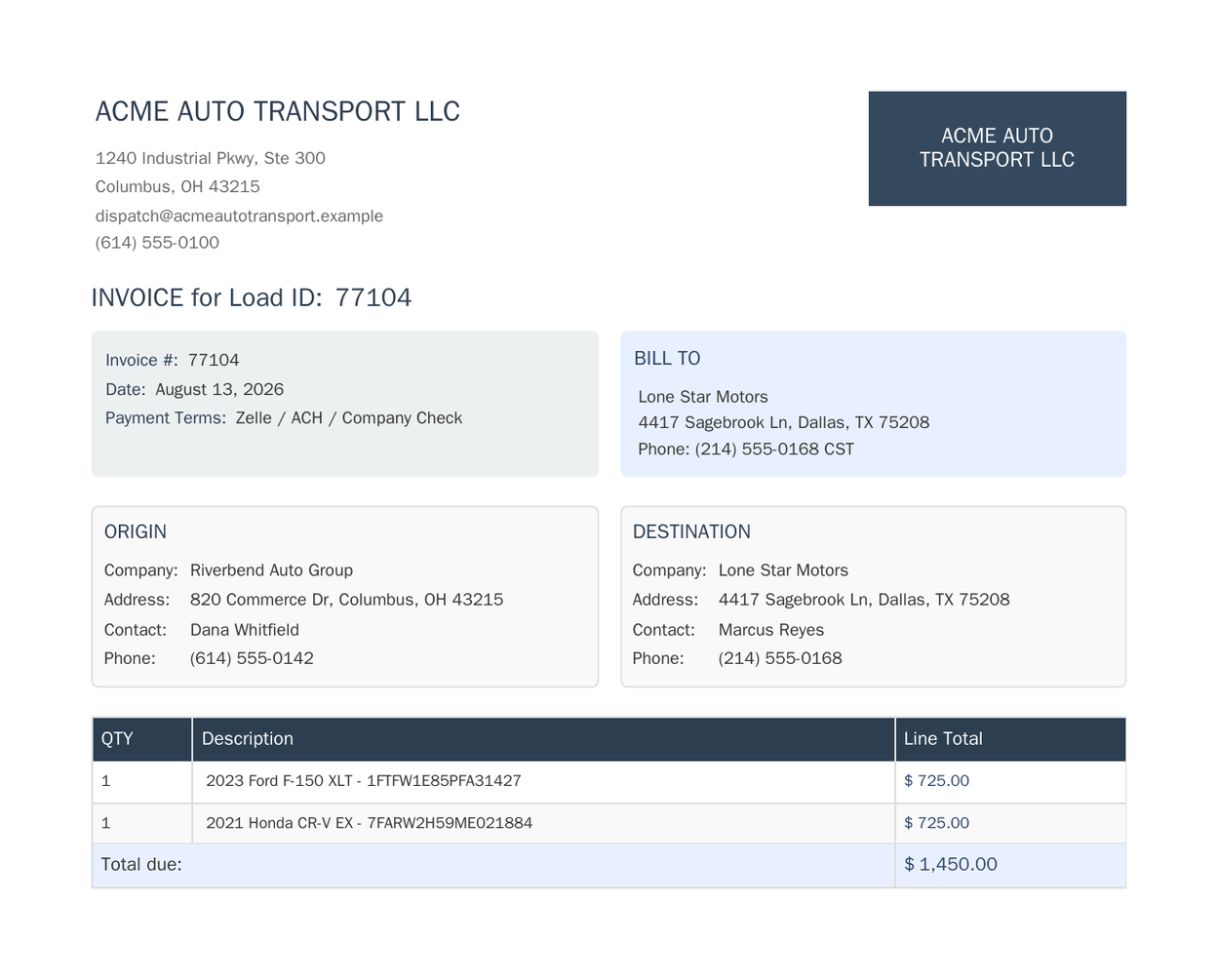
Install InvoiceLane free from the Chrome Web StoreOpen an order in ProABD, click once, and InvoiceLane builds the invoice for you in a new tab — order number, vehicles, price and the pickup and delivery details already filled in from the page you are looking at.
Your company name, address, phone, logo and payment methods are saved once in settings and reused on every invoice after that. If the invoice needs to go to a different party, switch the bill-to between pickup, delivery and shipper right on the invoice, without starting over.
Nothing is final until you say so
The invoice opens as its own page before anything is printed, and every part of it can be corrected right there — a name, an address, a price, a line description, the invoice number itself. That matters because the alternative is editing the order in ProABD just to make one invoice read correctly, then remembering to change it back. A one-off adjustment stays on the invoice, and the order stays as it is.
When it looks right, print it or save it as a PDF straight from your browser. It saves as Invoice 12345.pdf, using the invoice number, so filing it is a matter of picking a folder rather than retyping a name. Correct the invoice number on the page and the file name follows it.
Send it straight to CollectLane
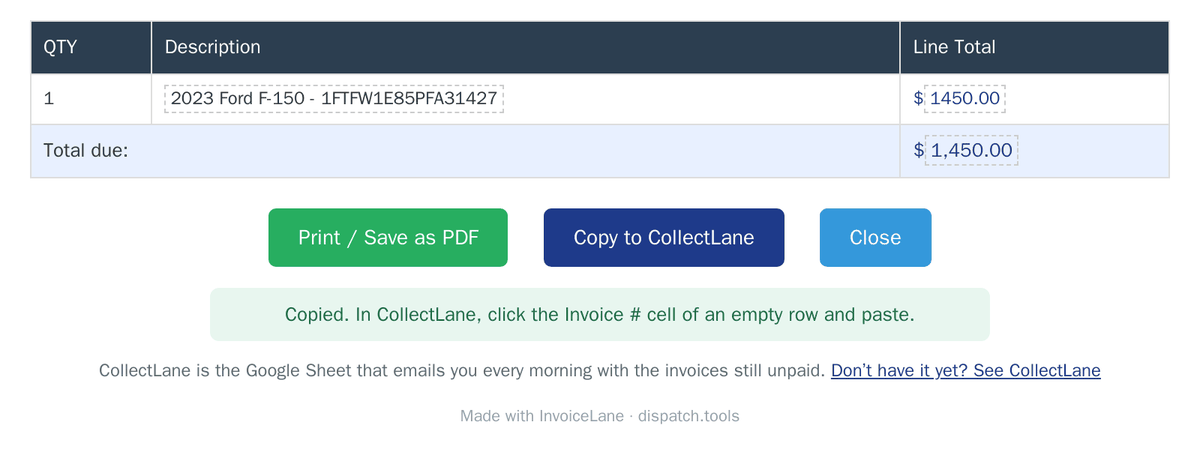
An invoice you have sent is money you are waiting for. With an InvoiceLane licence, the Copy to CollectLane button on the invoice copies it as one row — invoice number, who you billed, the date and the amount — ready to paste into CollectLane, the Google Sheet that emails you every morning with the invoices still unpaid.
- Make the invoice and check it as usual.
- Press Copy to CollectLane.
- In CollectLane, click the Invoice # cell of an empty row and paste. The sheet fills in the payment terms and the due date from that customer’s settings.
It copies what is on the invoice, so a number or an amount you corrected is the one that lands in the sheet. Nothing is uploaded: the row goes to your clipboard, and you paste it.
Everything stays on your computer
InvoiceLane reads the order page you already have open and keeps your settings in Chrome's own storage. It has no account, no server, and it never sends your orders, customers or company details anywhere.
Works with ProABD order pages. InvoiceLane is an independent tool and is not affiliated with, endorsed by, or connected to ProABD.
What you get
- One click from an order page to a finished invoice
- Order number, vehicles, price and locations filled in for you
- Check and adjust everything before you print, without touching the order
- Saves as “Invoice 12345.pdf”, not “document.pdf”
- Your logo, company details and payment methods saved once
- Switch bill-to between pickup, delivery and shipper
- With a licence, copy each invoice into CollectLane in one click
- Your orders and customers never leave your browser
Pricing
Every invoice it makes is complete, and a real invoice you can send.
- One click from an order page to a finished invoice
- Every field the licensed version fills in, filled in the same way
- Switch bill-to between pickup, delivery and shipper
- Print or save as PDF
- A small InvoiceLane credit printed at the foot of each invoice
The same invoices without the credit line, one-click copying into CollectLane, and a year of fixes as ProABD changes their pages.
- Everything in the free version
- No InvoiceLane credit on your invoices
- Copy to CollectLane: each invoice into your unpaid-invoice tracker in one click
- A year of updates as ProABD changes their order pages
- Your licence does not expire — the tool keeps working
- Email support from a person who wrote it
After the first year, $20 a year keeps the updates coming. If you stop paying, InvoiceLane carries on working exactly as it is and your invoices stay clean — you only stop receiving fixes for changes ProABD makes after that. You are paying for the work that recurs, not for permission to keep using what you bought.
Questions
Which pages does InvoiceLane work on?
What happens when ProABD changes their page?
Do my orders or customers leave my computer?
What is different about the free version?
How does Copy to CollectLane work?
What happens if I stop paying?
Can I use one licence on more than one computer?
Do I need an account?
How do I install it?
Setup guides and troubleshooting live in InvoiceLane help. Anything else, get in touch.